 MemoryMatching.com
Easy Word Search Game
Play a beginner-friendly free easy word search online - find 10 short words hidden in a 9×9 letter grid. Words only go left-to-right or top-to-bottom. Optional 2-minute timer - or hide it for an untimed, relaxed game. No sign-up, no download. Ready for more? Try Medium Word Search or Hard Word Search.
History
No completed games yet for this mode.
| Date | Time | Words found | Solve time |
|---|
What Is Easy Word Search?
A beginner-friendly word puzzle
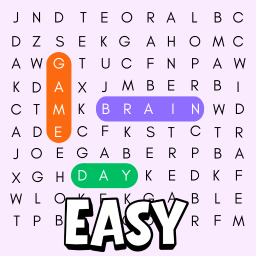
Easy Word Search is a classic letter-grid puzzle where you scan rows and columns to find hidden words. Our free online easy word search uses a compact 9×9 grid - small enough to take in at a glance - with words placed in just two directions: left-to-right and top-to-bottom. This makes it ideal for beginners, younger players, and anyone wanting a quick, low-stress word puzzle.
Each game picks 10 random short words from a pool of over 100 common English words, so no two games are ever the same. You can race the optional 2-minute countdown timer, or hide it entirely for a calm, untimed session. The game is fully responsive - click-and-drag on desktop, swipe on mobile - and requires no installation or account.
How to Play Easy Word Search
Step-by-step for beginners
- Read the word list. On the right side of the grid (or below on mobile) you'll see the 10 words you need to find. Each word is hidden somewhere in the letter grid.
- Scan the grid. In Easy mode words only go left-to-right or top-to-bottom. Start by looking for the first letter of each word, then trace along the row or column.
- Click and drag to select. On desktop: click the first letter, hold, and drag to the last letter. On mobile: touch and swipe across the letters with your finger.
- Release to confirm. If the selection matches a word, it lights up in colour and is automatically crossed off the list.
- Find all 10 words. Complete the puzzle before the timer runs out - or hide the timer in the settings panel and play with no time pressure at all.
Quick tip: Start with the shortest words. Three-letter words have fewer possible positions in the grid, so they're the fastest to locate.
Other Word Search Difficulty Levels
Try a harder challenge
- Medium Word Search - 10×10 grid, longer words, 4 directions (left, right, up, down), 3-minute timer.
- Hard Word Search - 11×11 grid, all 8 directions including diagonals, words only partially revealed in the list, 4-minute timer.
- Numbers Word Search - find 12 hidden four-digit numbers in a 10×10 digit grid instead of letters.
All levels are free, no sign-up, full mobile support. See the Word Search home page for the full overview.